- NanoBits
- Posts
- Second Brain 🧠 : Stop Storing Notes. Start Building Memory.
Second Brain 🧠 : Stop Storing Notes. Start Building Memory.
Why the most powerful AI assistant you will ever use is the one you build yourself


Geetika Mehta & Rahul Reddy
April 19, 2026

EDITOR’S NOTE
Dear Nanobits Readers,
A few weeks ago, a message landed in my DMs that made me stop scrolling.
A friend, Rahul, a Product Leader, who builds quietly and thinks deeply, casually mentioned that he had built an AI assistant that pushed back on him. Not with a generic disclaimer. Not with a hedge. It called out a specific pattern he falls into, in a specific type of situation, and offered a better path. One he wouldn't have taken on his own.
This sounded exciting and so I needed to know everything.
Turns out, Rahul had built something that the rest of the tech world has started describing in theory recently and building: a true second brain. One that doesn't just store your notes, but knows your behavior. And he built this whole thing, which runs on a $70 computer sitting on his desk. And this data does not leak.
I invited him to write this edition of Nanobits. What you are about to read is his story, the problem he was solving, how he built it, and what surprised him on the other side. I have added context from the broader world of second brains, because honestly, the timing of what Rahul built and what the rest of the field is converging on is remarkable.
This one is worth your full attention.
— Geetika
THE PROBLEM WITH AI TOOLS YOU ARE USING
Here is a thing that happened to me few weeks back.
I opened a new chat with an AI assistant. Described a situation I was navigating at work. Got a thoughtful, well-structured response. It was as helpful as a smart stranger on an airplane is helpful, intelligent, well-intentioned, and completely unaware of the twenty things about me that would change every piece of advice it just gave.
This is the fundamental problem. Every session starts from zero. The AI knows nothing about you. It doesn't know the patterns you repeat, the mistakes you have made before, the people you are dealing with, or what you have already tried. You get generic answers because you have given the system nothing specific to work with.
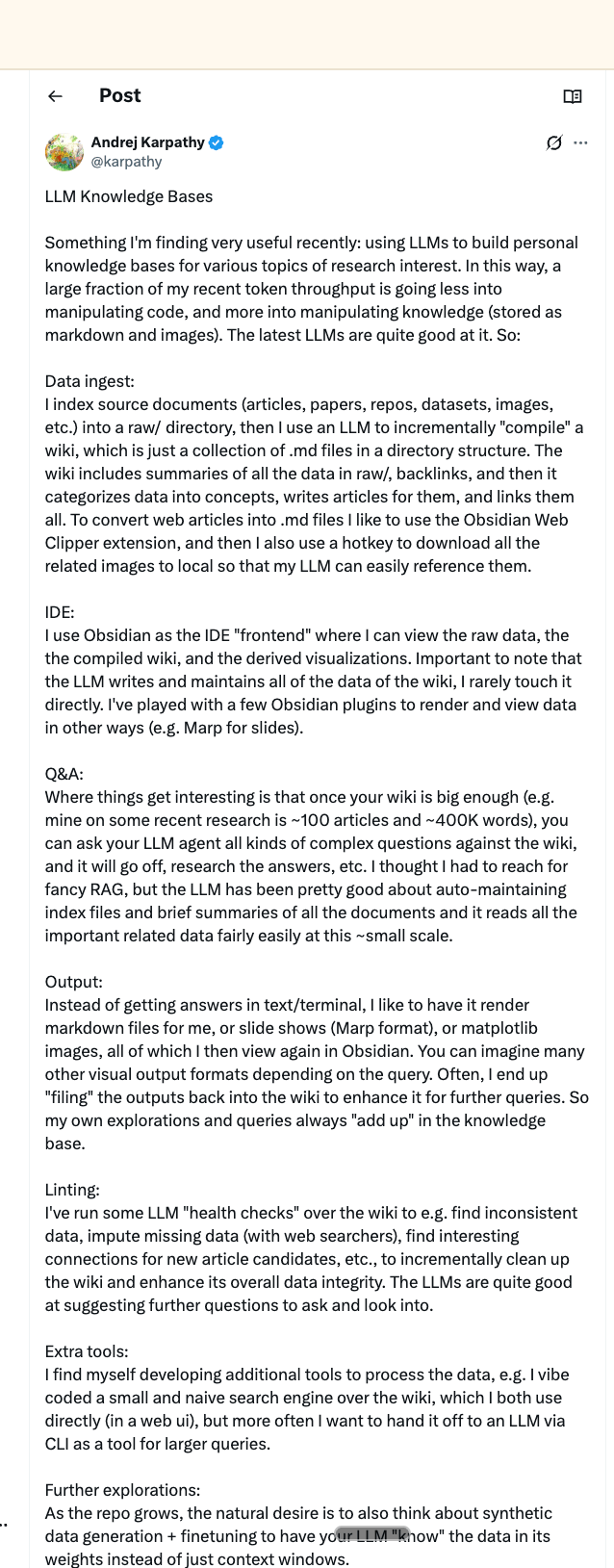
Andrej Karpathy, OpenAI co-founder, the man who coined "vibe coding", just described this exact frustration on 2nd April, in a post that got nearly 20M views. He called it the "stateless AI problem." Each session, the AI forgets. Each time, you are rebuilding context. And the cost isn't just inconvenience, it's the quality of every answer you ever get.
His solution was an LLM Wiki: dump raw research into a folder, point an AI at it, and let it build and maintain a self-updating, interlinked knowledge base. No vector databases. No fancy infrastructure. Just markdown files and an AI that acts as a full-time librarian. His research wiki on a single topic: 100 articles, 400,000 words, maintained almost entirely by the AI.
What Rahul built is a different flavor of the same insight. And I would argue, more personal. And he built it before this post came out.
Credits: X/karpathy@
THE AI THAT KNOWS YOUR WEAKNESSES
By Rahul
My AI pushed back on me last week. Not generically, not a hedge or a disclaimer. It called out a specific pattern I fall into in a specific type of situation, and suggested something I wouldn't have defaulted to on my own.
It was right.
That's not something a chatbot does. That's something a system does, one that has been quietly accumulating context about you for months, building a profile not just of what you know, but of how you behave.
The model isn't doing the heavy lifting here. The context is.
What I built?
A vault of organized notes, thoughts, observations, recurring situations, behavioral patterns, all in plain markdown files I own and control. A bot that lives on Telegram. A Raspberry Pi on my desk that keeps it running 24/7. An API call to Claude that gets more useful every time I add something to the vault.
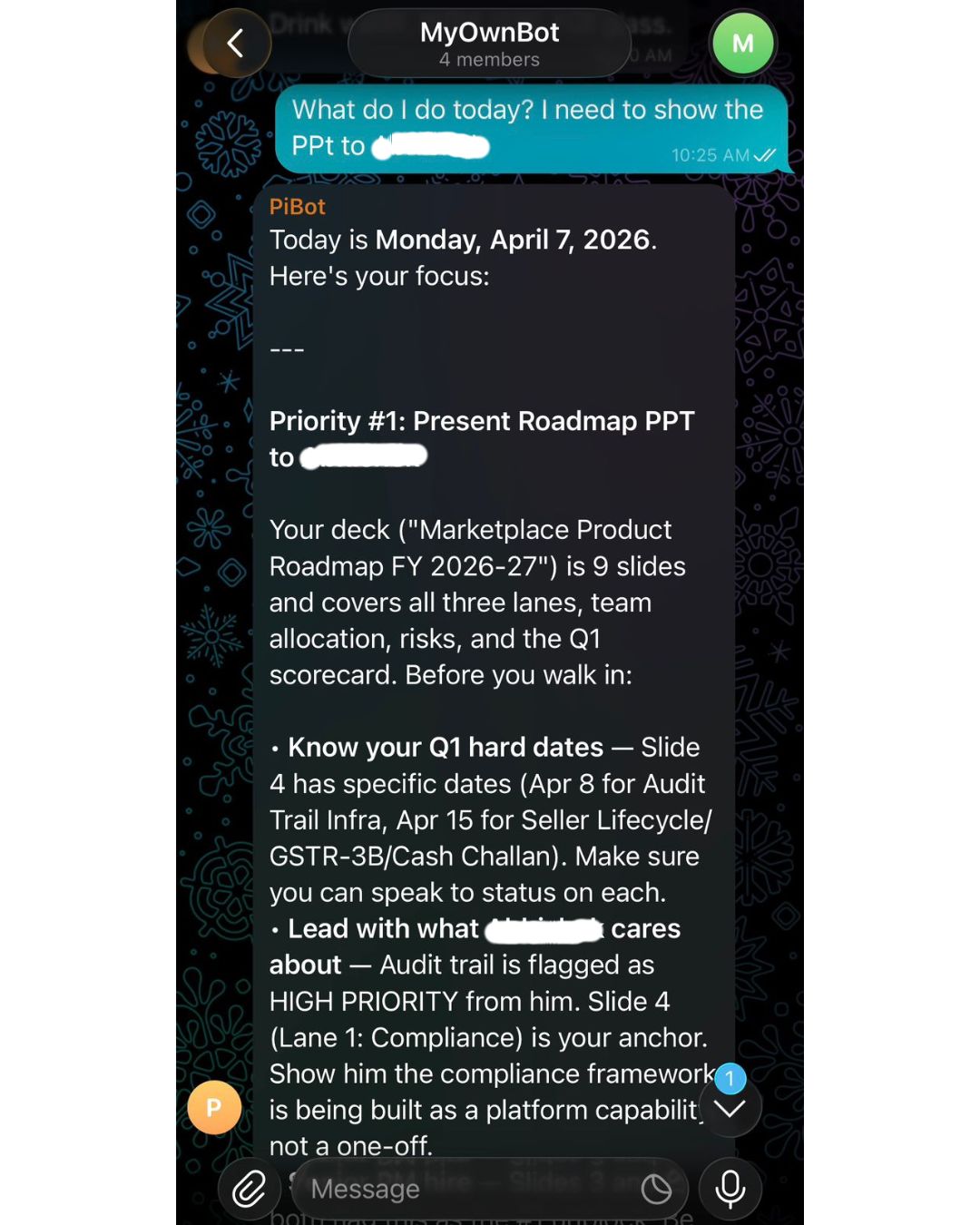
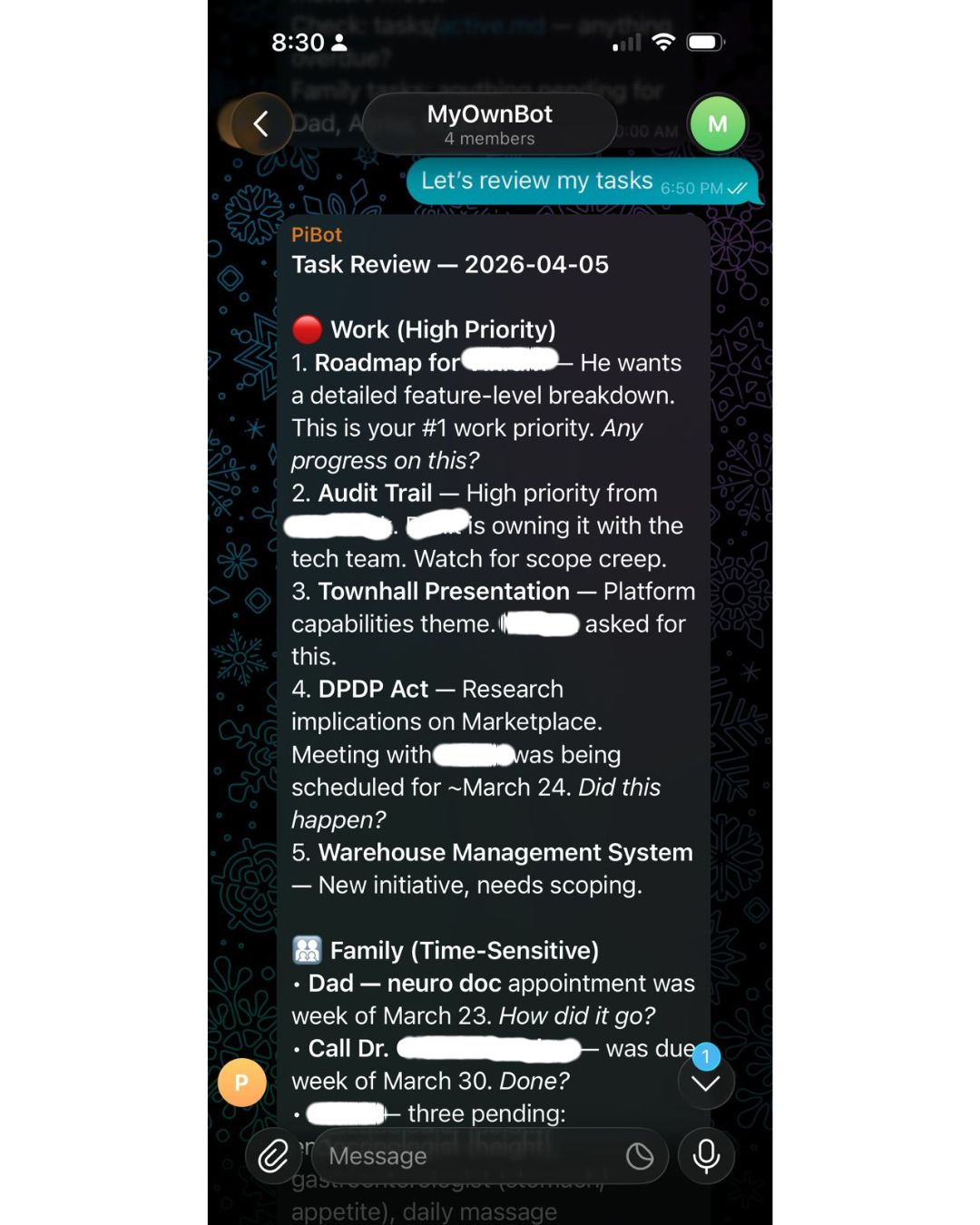
When I send a message, the bot reads the relevant vault files, loads them as context, and responds. The AI never sees my vault cold, it always has the right files for what I am asking. Meeting prep, task review, a difficult conversation I am navigating, all of it answered with context no commercial AI assistant has about me, because I built that context myself over time, in files I own.
One of the work chats with the bot
What's in the vault?
A folder of .md files: work context, people profiles, open loops, and one for about-me, the behavioral patterns I have noticed in myself, the situations I keep mishandling, the things I default to that I know aren't right.
When I message "What do I need to know before my call with Ajay?" the bot doesn't just surface my notes. It tells me which thing Ajay cares about most right now, what I committed to him last time and whether I have closed it, and which angle to lead with given his current priorities. That answer came entirely from context I had maintained over weeks, meeting notes, priorities I had logged, decisions I had captured in two-minute entries after things happened.
The files do the work. The AI just knows how to read them.
How the bot navigates the vault?
This is the part most people skip over, and it's what makes the difference between a retrieval system and a prompt stuffed with notes.
You can't load every vault file on every message. The context window has limits, cost adds up, and more importantly, noise degrades the response. If every question gets answered with everything you have ever written, the AI loses the thread.
The solution is an index. My vault has an index.md, a plain-text map of every file in the vault, what it contains, and when it was last updated. When a message comes in, the bot loads the index first and asks the AI a simple routing question: given this message, which files are relevant? The AI reads the map, picks the right files, and only those get loaded into context for the actual response.
Loading 2-3 relevant files instead of the full vault cuts token usage by around 75% on a typical query. The routing call itself is tiny, it only reads the index, which is small and stable, so it hits the prompt cache almost every time, costing fractions of a cent. The main response uses a stronger model only when the query warrants it; routing decisions and simple lookups run on a cheaper tier. Conversation history is a rolling window, not an infinite append.
The result: the system runs continuously, handles multiple queries a day across work and personal contexts, and costs less per month than a single ChatGPT Plus subscription.
The index is also what you maintain most carefully. Each time you add a file or restructure something, you update the map. It's the navigation layer that makes everything else work, both in quality and in cost.
The behavioral layer
When you describe a situation you are navigating and the system cross-references your own documented patterns, you stop getting advice calibrated for a hypothetical rational person. You get advice calibrated for you including the specific ways you tend to go wrong.
I started noticing things about myself I had been vaguely aware of but never had to confront directly. The vault made them undeniable. The AI made them actionable.
Most second brain systems are search engines for your notes. This is something different a system that knows you well enough to push back.
A note on privacy
The vault contains your behavioral patterns, your recurring failures, the private details of situations you keep navigating wrong, the inside story of every relationship that matters to you professionally and personally. This is some of the most sensitive data that exists about a person. It's also exactly the kind of data you had never want living on a vendor's server, training someone else's model, sitting inside a terms-of-service you didn't fully read.
When it runs on your hardware, in files you control, that problem disappears. The system gets more useful the more personal it gets and you never have to choose between depth and privacy.
The whole thing runs on a Raspberry Pi 5. $70. Plugged directly into my router. It's been running for months without me thinking about it.
How the vault grows
The vault grows the way a good notebook grows: you feed it. After a significant meeting, you add a note. When you notice a pattern in yourself, you log it. When a relationship has a new dynamic, you update that person's file.
There's an inbox file where raw thoughts land when you don't have time to organize. Periodically you ask the bot to process the inbox, it proposes where everything should go, you confirm or redirect, and it moves things accordingly.
You are not maintaining a database. You are maintaining a set of living documents about your own life. The effort is low because the format is just writing.
The stack
My stack has four moving parts:
Telegram + Telegraf: your interface. Message @BotFather on Telegram, get a token in two minutes. Telegraf is a Node.js library that handles everything on the Telegram side, message routing, long-polling, sending responses.
Claude API (or any LLM): the brain. You pass it a system prompt, your relevant vault files as context, and the user's message. It responds. My setup has a config-driven AI router that supports multiple providers and fails over automatically, but for a first version, a single API call is all you need.
A vault: a folder of .md files. Work context, people profiles, open loops, behavioral notes. This is where the intelligence lives, not in the model.
Raspberry Pi + systemd: keeps it running 24/7. The vault syncs to Google Drive via rclone, a FUSE mount that makes Google Drive behave like a local folder. Edits from your laptop or phone appear on the Pi in about 30 seconds.
Three terminals to monitor performance
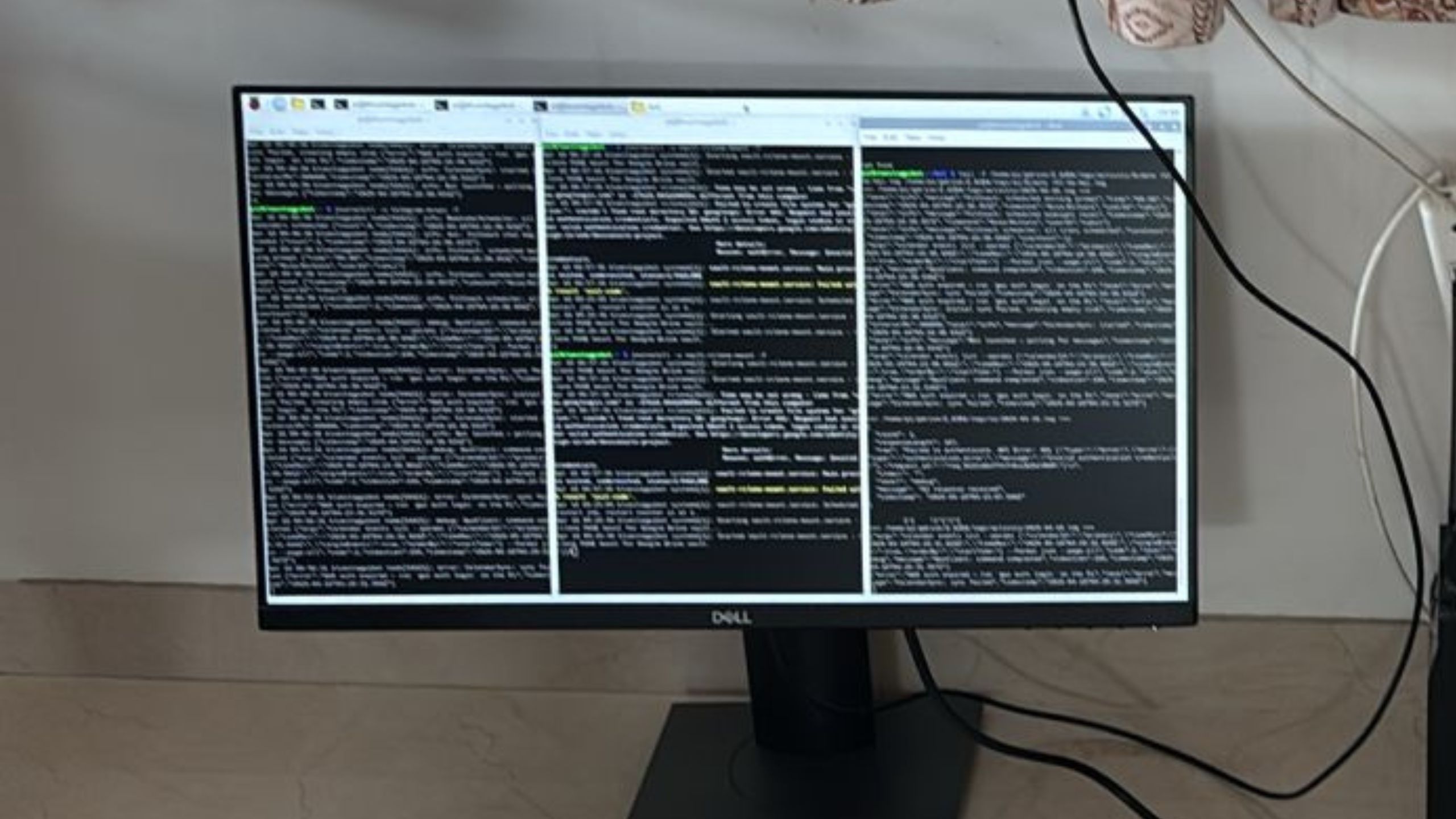
The above system is always monitoring performance:
For service itself: reliability and latency
For Gdrive sync: ensuring I have backup + direct laptop access
For AI evals: what’s the input and what output it gave
How it all connects?
Here is my data flow:
Your phone (Telegram)
|
| sends message
▼
Raspberry Pi — Node.js bot process
|
├── Auth check (is this an allowed user?)
|
├── Session Manager — loads conversation history from file
|
├── Vault Reader — reads relevant .md files as context
|
├── AI call — [system prompt + vault context + message] → Claude
|
└── Response back to Telegram
|
▼
Your phone
The vault itself looks like this:
Z/
├── index.md ← master map of what's in the vault
├── work.md ← current projects, open decisions, commitments
├── people.md ← colleagues, family, their priorities and quirks
├── open-loops.md ← things said, not yet done
├── about-me.md ← behavioral patterns, recurring failures, self-notes
├── inbox.md ← raw capture; processed periodically by the AI
├── sessions/ ← conversation history files, one per chat session
└── logs/ ← activity and AI call logs
No database anywhere in this system. Every piece of state, sessions, vault content, logs, lives in flat files synced to Google Drive. The AI reads what it needs on each request. This is the design philosophy that makes the whole thing buildable in a weekend.
The bot runs in two modes. Normal mode handles everything conversational, task review, meeting prep, behavioral pushback, questions against the vault. Vault Organization mode is triggered explicitly when you want to process your inbox: the bot reads your raw captures, proposes where everything should go, waits for your confirmation, and executes. Nothing moves without a human saying yes.
To get from zero to a working first version:
Step 1: Create your bot. Message @BotFather on Telegram, send /newbot, follow the prompts. You get a token. Done.
Step 2: Set up your vault. Create a folder with four files: work.md, people.md, open-loops.md, about-me.md. Write a few real sentences in each. The quality of this step is the quality of your system.
Step 3: Write a context loader. A function that reads those files and concatenates them into a string to pass as context. My vault also has an index.md, a master map of what's in every file, so the AI knows what to request without reading everything on every call.
Step 4: Wire up the bot. On every incoming message: load context, call your AI API, send the reply. Telegraf makes this straightforward in Node.js. The system prompt is where you invest the most thought, it tells the AI what the vault is, who you are, and how to behave. Mine is about 200 words.
Step 5: Deploy to the Pi. Copy the repo, create a systemd service file, run sudo systemctl enable and start. It restarts automatically on crashes. Set up rclone to mount your Google Drive. From here, the system runs without you.
Build time for a working v1: a weekend. The whole thing: bot code, vault, systemd config, fits in a single repository.
LESSONS LEARNED. THINGS TO KEEP IN MIND
A few things that only become clear after you have run a system like this for a while:
The quality of the output is directly proportional to the quality of what you put in. A sparse vault gives you a slightly smarter chatbot. A rich vault gives you something that knows you. The delta between those two things is larger than you wouldd expect.
You start writing for your future self, not for the AI. The discipline of capturing things in a way the system can use, concrete, specific, behavioral, ends up being a form of reflection that's valuable independent of the AI. Think of this like your journal and more than that.
The hardest file to maintain is about-me.md. Not because it's time-consuming. Because it requires admitting things about yourself you'd rather not document. It's also the most valuable file in the vault.
Two minutes after a meeting compounds over months. It doesn't feel significant in the moment. Collectively, it's the thing that makes the entire system work.
The system doesn't replace judgment. It makes judgment better. The AI isn't making decisions for you. It's ensuring that when you make decisions, you are doing it with the full context you have built up, not just what you happen to remember right now.
Build for modules, not features. The architecture that handles task review and meeting prep is the same one now running a FitCoach module, workout scheduling, injury context, equipment preferences, and integrating with Hevy, a workout tracking app, via MCP. WhatsApp support is next. None of these required rethinking the core. New capability means a new vault section, a new handler, and a new prompt. The foundation holds. At some point, probably soon, the number of modules will tip into needing a proper orchestrator to route between them. That's a good problem to have.
- Thanks, Rahul
WHAT ELSE COULD THIS DO?
The architecture Rahul built isn't just useful for individuals. The same pattern extends:
For teams: A shared vault of product context, user research, stakeholder priorities, and past decisions, queryable by any team member, maintained collaboratively. The research you did last quarter doesn't disappear when the project ends.
For founders: A running knowledge base of investor conversations, customer insights, competitive moves, and company decisions. Onboarding a new hire means giving them vault access, not hoping they absorb six months of context in three weeks.
For PMs specifically: User interviews, competitive teardowns, stakeholder context, past PRDs. Karpathy's most viral post framed this exactly: "the research you did last quarter is gone. It all lived in your head and disappeared when the project ended." A queryable vault fixes this.
For learning: Feed papers, articles, and transcripts into a vault organized by domain. Ask questions that synthesize across everything you've read. Watch your knowledge compound instead of evaporate.
EDITOR'S NOTE: WHY THIS MATTERS RIGHT NOW
The tooling for second brains has never been better. Obsidian, Notion, new AI-native platforms, all of them are genuinely useful. But the graveyard of elaborate Notion setups that got abandoned in month two is real, and most people reading this have at least one tombstone in it.
The Tiago Forte version of "building a second brain", the one that sold hundreds of thousands of books, was about externalizing your notes so you stop relying on memory. Capture, Organize, Distill, Express. Tools like Notion and Obsidian became the standard implementations. The problem: most people build elaborate systems and abandon them. The maintenance kills it every time.
Karpathy's insight shifts the equation: stop maintaining it yourself. Let the AI be the librarian. You are the curator. Lex Fridman built a similar setup and now uses it on long runs, generating a focused mini-wiki he listens to in voice mode. Garry Tan at Y Combinator built a consulting tool on the same architecture. The pattern is spreading fast.
Rahul's insight goes a layer deeper. Don't just capture knowledge about the world. Capture knowledge about yourself. The behavioral layer is the part every productivity system leaves out, because building it requires honesty, consistency, and a format the AI can actually use.
What Rahul built and what Karpathy gestured at is a different theory of the problem. The bottleneck isn't the tool. It's the context. And context accumulates through consistent, low-friction capture over time, not through picking the right app.
The Raspberry Pi on Rahul's desk isn't the interesting part. The about-me.md file is.
If this resonated, or if you want to go deeper on Karpathy's LLM Wiki architecture, getting started with your own vault, or what a PM-specific second brain looks like in practice, reply to this email. If enough of you are curious, we will do a follow-up. If you are interested in knowing more questions about how Rahul built it, you can reach out to him here.
If you liked our newsletter, share this link with your friends and request them to subscribe too.
Reply